Course authoring for instructional designers
Plan the course before you build it.
NXGen Learning Studio starts with your learners and what they should be able to do. Map goals, objectives and pages in a blueprint, build on a live canvas, and check that every activity and question lines up.
Have an invitation? Use the link in your email to join.
How it works
1
Plan
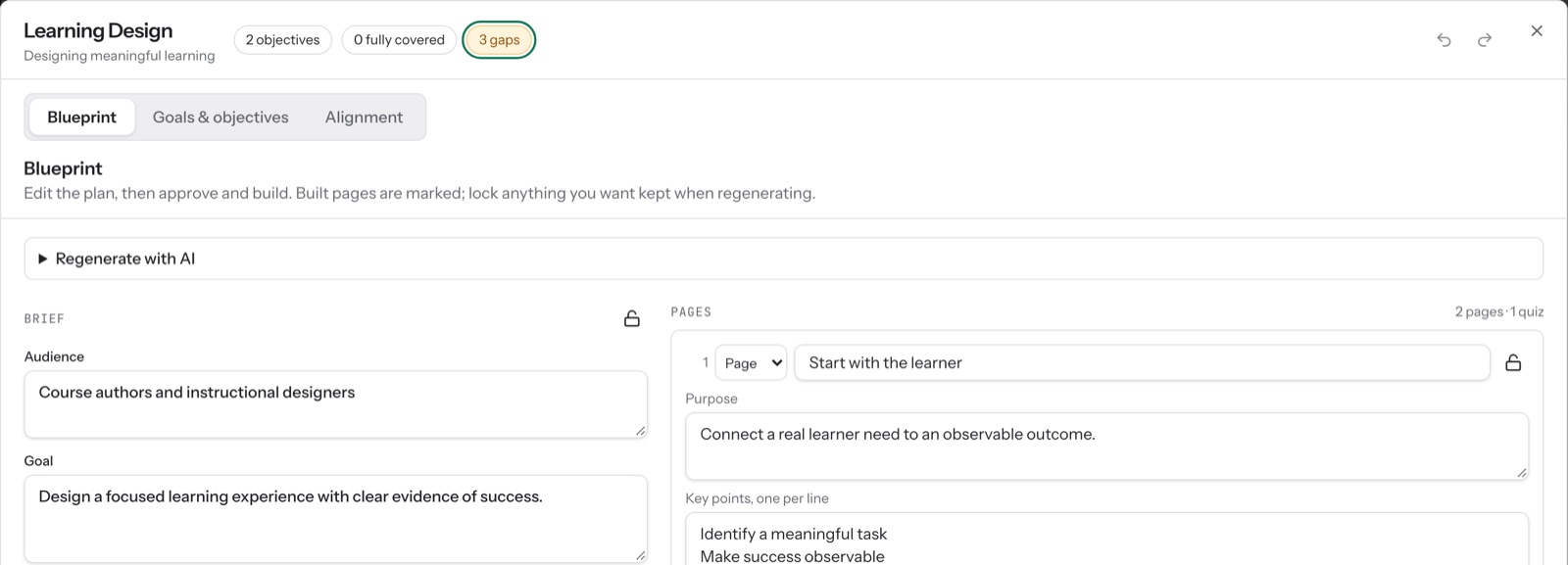
Start in Learning Design. Write the brief, set goals and objectives, and lay out pages in a blueprint you approve before anything is built.
2
Build
Write on a live page canvas with interactive blocks. Draft with AI turns your plan into pages, and every suggestion waits until you choose to use it.
3
Check
Alignment shows which pages teach and which questions assess each objective. Review flags gaps, and Preview shows exactly what learners will see.
Built for judgment, not just speed
- AI suggests, you decide.
- Every AI change arrives as a suggestion you can read before you choose Use.
- Nothing is lost.
- Every change saves as you go and can be undone.
- See what learners see.
- Preview shows the same pages learners get, on desktop, tablet and phone.